Celebrating Site Launch
Published: December 29, 2022
It’s alive 🥳
Finally decided to redo my site, as the last time it was made was my junior year of high school 😬
Random Detour
When I was looking at my old site version from 2017 I noticed that I had a massive security vulnerability, allowing RCE.
Anyways, I decided to try Svelte for making it, how hard can learning an entirely new web framework for my site be, ya know? Well Svelte + TailwindCSS was amazing, and I will share just a little bit of details about how it was made.
Development Process
First, I created a draft of my site in Figma. The Lo-fi Wireframe Kit helped me prototype extremely quickly.
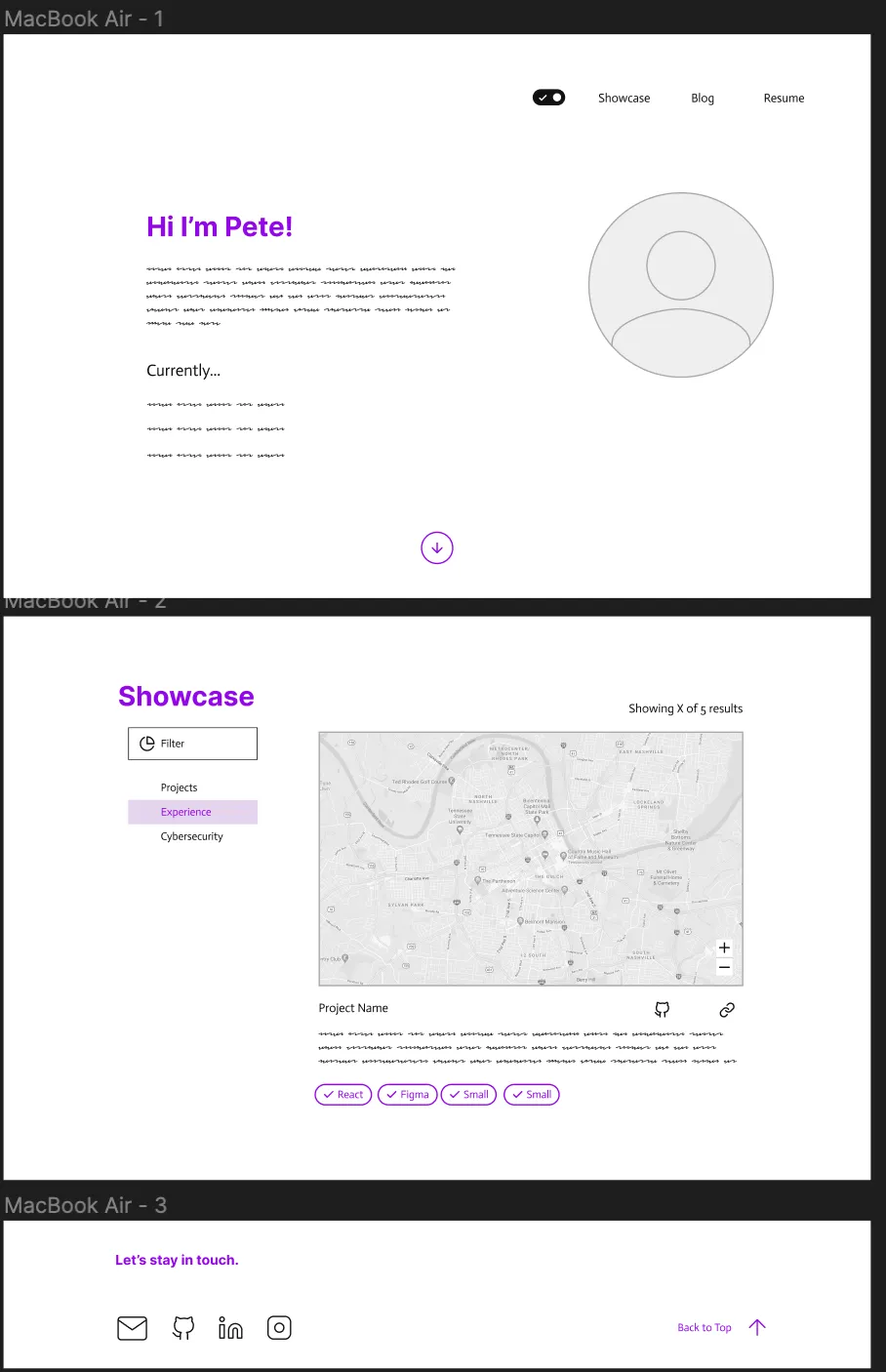
Firstly, I set up a barebones blog using this great guide Build a static Markdown blog from scratch. Then I set up a GitHub Actions pipeline to deploy it statically onto GH Pages, using a great GitHub Action by @AndrewLester.
For the blog, I ended up using the GitHub Colors theme for code, plus some plugins to hyperlink headers, add LaTeX support, and add direct HTML attribute setting.
I was able to get this up and running fairly quickly, only ~2 days of coding. My most annoying bug was the blog posts themselves having a width larger than the screen width, which I fixed with prose-a:break-words prose-code:break-words + overriding the width, which wasn’t too bad (it took me 4 hours):
.prose {
  max-width: min(100vw, 65ch);
}
Switching from medium
Since mediumexporter wasn’t working for me, and it looks like an extremely recent break, I used medium-to-hugo with a small patch to download my medium posts and convert them to markdown.
Time Machine
I added a basic time machine feature hidden in the footer of my site. I embed my old sites as iframes, and dynamically fetch all directories with a small function:
You can check out the time machine. I also added a draggable header so that it doesn’t block your view.
SEO
I wrote a small snippet of code to pull out text from my blog posts and use it as the description in SEO.
I am using Svelte Sitemap and pushing updates to the Google Search Console with a GitHub Action.
Optimizations
I used vite-imagetools to optimize my images. I also added an aria-label to every link based on the text content of the tag:
<script>
  export let href
  let self
  $: ariaLabel = $$restProps['aria-label'] || self?.innerText || href
  // ...
</script>
<a href={href} bind:this={self} aria-label={ariaLabel} {...$$restProps}>
This lets me get super snappy load times, and a >90 Lighthouse score!
Future Improvements
This section may just disappear but I still need to:
- Add a bunch more styling for my blog
- Add some cool theme / flavor to the site
- Fill in more content on the showcase
- Get a job
- Stop going to bed at 3am
- Predicting other people reading too closely into my random blog posts